
Laravel 403 Forbidden Error – Causes and Easy Fix
When developing web applications using Laravel, encountering server errors is part of the learning process. Some errors are easy to recognize and resolve, while others feel confusing and unexpected. One of the errors that often surprises developers is the 403 Forbidden error.
At first glance, this error appears simple. The server clearly states that access is forbidden. However, the real challenge is understanding why access is being denied when everything seems correct.
The route may exist, the controller may be working, and the page might have loaded correctly before. Yet suddenly the application refuses to allow the request. This can leave developers wondering whether the problem comes from Laravel itself, from the server configuration, or from something else entirely.
Many developers encounter this problem after deploying a project or modifying routes. If you recently deployed your project and started seeing unexpected issues, you may also encounter problems like Laravel Storage:link Not Working on cPanel, which can break images or file access after deployment.
The reality is that the 403 error is rarely caused by a single factor. Instead, it often appears when multiple parts of the system interact in unexpected ways. Understanding these interactions is the key to fixing the problem quickly.
In this guide, we will explore what the Laravel 403 error means, why it appears, and how developers can solve it in a structured and reliable way.
What Does the Laravel 403 Error Mean
The 403 Forbidden error indicates that the server understands the request but refuses to allow access to the requested resource. In other words, the request itself is valid, but the server considers the action unauthorized.
This behavior is fundamentally different from other common web errors. For example, a 404 error means that the requested resource cannot be found, while a 500 error indicates an internal server failure. If you have experienced this type of issue before, you may want to read Laravel 500 Server Error — Why It Happens After Deploy or During Development, which explains why server errors often appear after deployment.
But a 403 error occupies a unique position between these scenarios. The resource exists and the server is functioning, yet the request is blocked for security reasons.
In Laravel applications, this type of restriction can occur at several levels. The application itself may enforce access rules through middleware and authorization systems. The web server may impose restrictions based on configuration settings. Hosting environments may also apply additional security policies that influence how requests are handled.
Because of this layered architecture, the same error message can originate from different parts of the system. Recognizing this distinction helps developers avoid focusing on the wrong component while debugging.
Common Causes of the Laravel 403 Forbidden Error
Several different conditions can lead to a 403 error in a Laravel application. Understanding these causes allows developers to diagnose the problem logically rather than guessing possible fixes.
One of the most frequent causes is access restriction within the application itself. Laravel provides powerful authorization tools that protect routes, controllers, and actions. These mechanisms ensure that only users with appropriate permissions can access certain parts of the system. When a request fails these checks, Laravel may respond with a forbidden status.
Another common cause involves server-level restrictions. Web servers often include security configurations designed to prevent unauthorized access to sensitive files or directories. If a request triggers one of these restrictions, the server may immediately block it.
A third cause can be deployment configuration. When a Laravel application is moved from a local environment to a production server, the environment may behave differently. Security settings, server policies, and directory rules may all influence how requests are processed.
In practice, developers often encounter the 403 error shortly after deploying a project or modifying access rules. Deployment-related problems can also cause other issues such as Vite Manifest Not Found in Laravel, which occurs when assets fail to load after deployment.
Authorization and Middleware Restrictions
Laravel’s middleware system plays an important role in controlling access to application routes. Middleware acts as a filtering layer that processes requests before they reach the application logic.
For example, authentication middleware ensures that only logged-in users can access certain routes. Authorization middleware verifies whether a user has permission to perform a specific action.
When a request fails these checks, the application may reject it and return a forbidden response. This behavior is intentional and protects the system from unauthorized access.
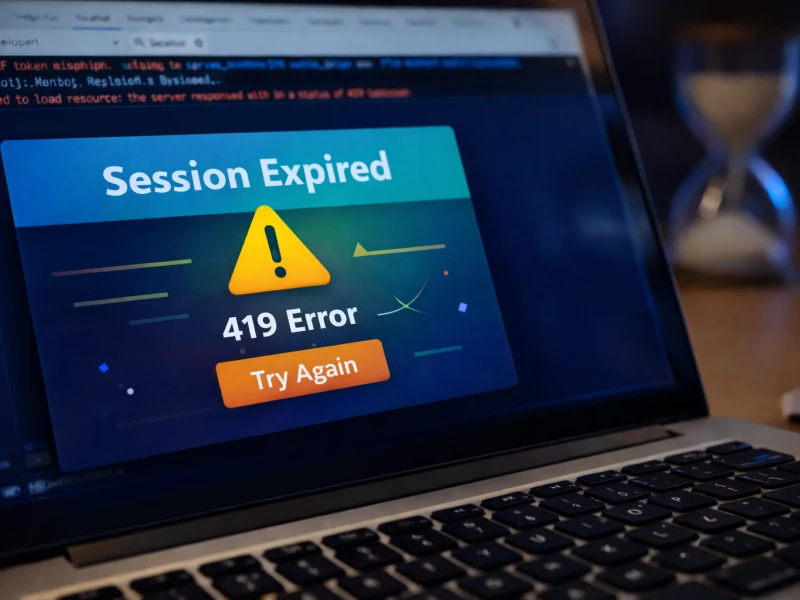
Sometimes developers confuse authorization problems with session issues. If authentication suddenly stops working, you might encounter errors similar to the 419 Page Expired Error in Laravel, which is often related to session and CSRF token problems.
Developers sometimes misinterpret this result as a configuration problem when in reality the application is functioning correctly. Reviewing middleware definitions and access policies is therefore an important step when investigating a 403 error.
Server Configuration and Security Policies
While Laravel manages application logic, the web server controls how incoming requests are processed at the infrastructure level. Server configuration rules can therefore influence how requests interact with the application.
Some servers restrict access to certain directories or file types as a security precaution. Others enforce strict rules regarding how URLs are rewritten or routed. If a request violates these rules, the server may respond with a forbidden status before the application even receives the request.
This situation can be confusing because the developer may assume that Laravel is responsible for the error. In reality, the request never reaches the application layer.
Understanding how the web server interacts with Laravel is therefore essential when troubleshooting access problems.
Deployment Environments and Hosting Differences
Developers often test Laravel applications in a local development environment before deploying them to a live server. While the application may work perfectly during development, the production environment can introduce unexpected differences.
Hosting platforms frequently implement additional security restrictions. File access rules, execution policies, and request filtering mechanisms may behave differently than they do on a local machine.
These differences can lead to situations where an application functions correctly during development but triggers a 403 error immediately after deployment.
Developers who are still learning Laravel often experience these types of issues during their early projects. If you are still building experience with the framework, reading My Biggest Laravel Learning Mistakes as a Beginner can help you avoid common problems developers face when starting their Laravel journey.
Carefully reviewing the deployment environment and ensuring that it aligns with Laravel’s requirements can help prevent these problems.
Preventing Laravel Access Errors
Preventing errors is always better than fixing them after they occur. Developers can reduce the likelihood of 403 errors by following several best practices.
First, access rules within the application should be clearly defined and documented. When routes require specific permissions, those requirements should be easy to understand and maintain.
Second, server configuration should be reviewed carefully before deploying the application. Ensuring that security rules do not conflict with the application’s routing system can prevent unexpected restrictions.
Finally, testing the application after deployment is essential. Accessing different routes, verifying authentication behavior, and confirming that the application responds correctly helps identify potential issues early.
Developers who follow these practices typically encounter fewer access problems and can resolve them more quickly when they do occur.
Conclusion
The Laravel 403 Forbidden error may appear intimidating at first, but in most cases it represents a straightforward access restriction rather than a serious application failure.
By understanding how Laravel handles authorization, how servers enforce security rules, and how deployment environments influence application behavior, developers can quickly identify the underlying cause.
Instead of viewing the 403 error as an obstacle, it can be seen as an opportunity to better understand how Laravel applications interact with server infrastructure. This deeper understanding ultimately leads to more reliable and secure web applications.




















Discussion 0